Tech lead
A tech lead with five lines of work and one chat that keeps them apart
A tech lead who runs several lines of work at once uses AI all day, and the chats pile up. With pendlooq the same habits produce a task list: each message lands in the right stream, each task has a status, and the morning starts with what is waiting on them.
Updated
Before
Before: a pile of chats and a tracker kept by hand
Picture a typical tech lead at a small product company. On any given day they are responsible for a billing service, two open engineering roles, a database migration, a share of the on-call rotation, and the personal admin that never stops: a visa renewal, a tax form, a conference trip.
They already lean on an AI assistant for most of it. The trouble is the shape of the tool. Every question starts a chat, and chats are sorted by date, not by topic or by who has to act next. By Wednesday there are forty of them. One holds half of a migration plan, another has the hiring rubric, a third is a quick question that turned into an hour of debugging.
The questions that matter most are the ones the chat list cannot answer: what is still in progress, what is waiting for my reply, what did I drop? So the tech lead keeps a separate tracker and copies tasks into it by hand, when they remember. When a topic comes back a week later, they open a new chat, paste in context from the old one, and hope nothing important was left behind.
Keys are another quiet worry. The same assistant that reads the billing repository also helps with personal paperwork, and everything it can reach, it can reach everywhere.
After
Setting up: streams from a short description
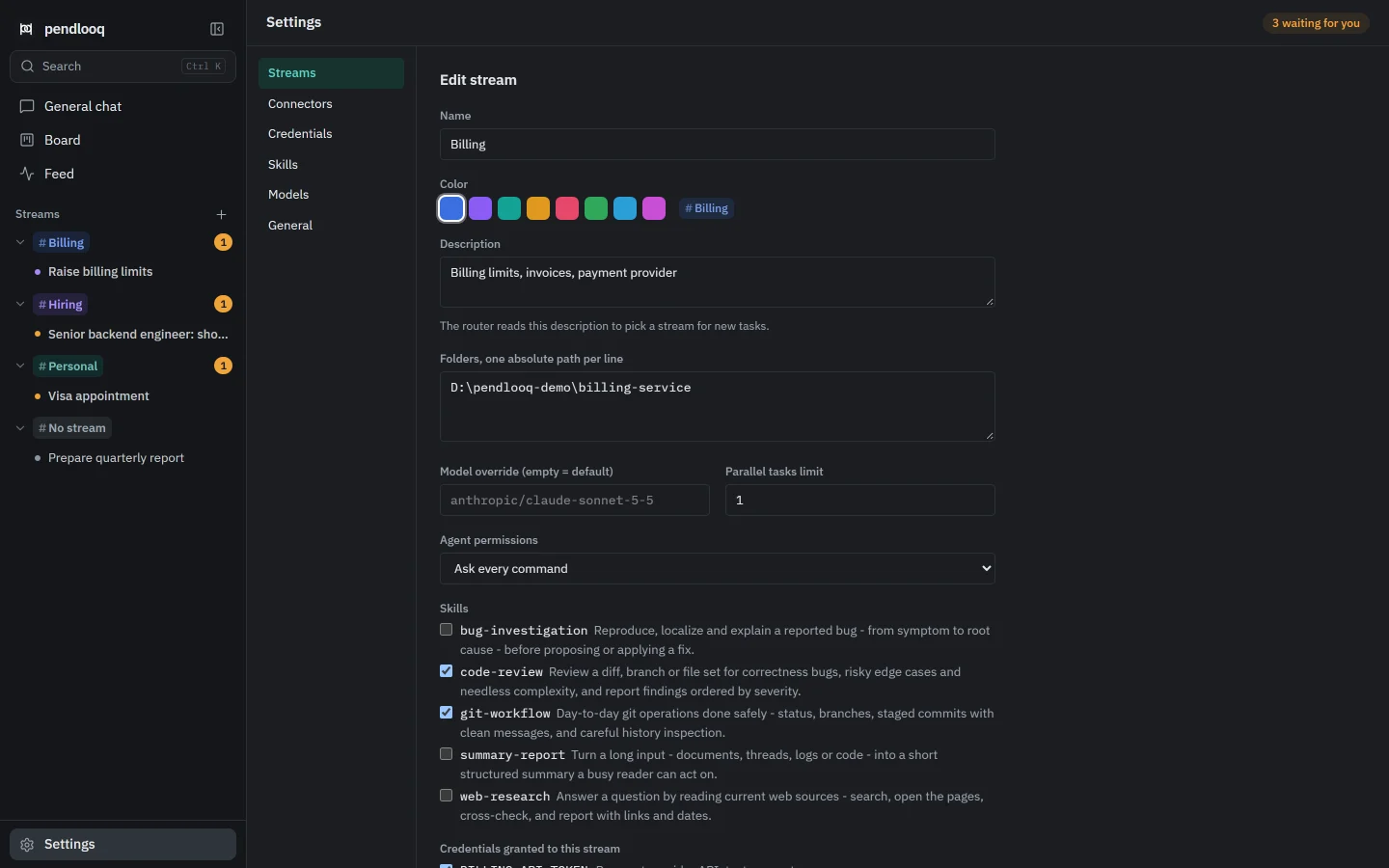
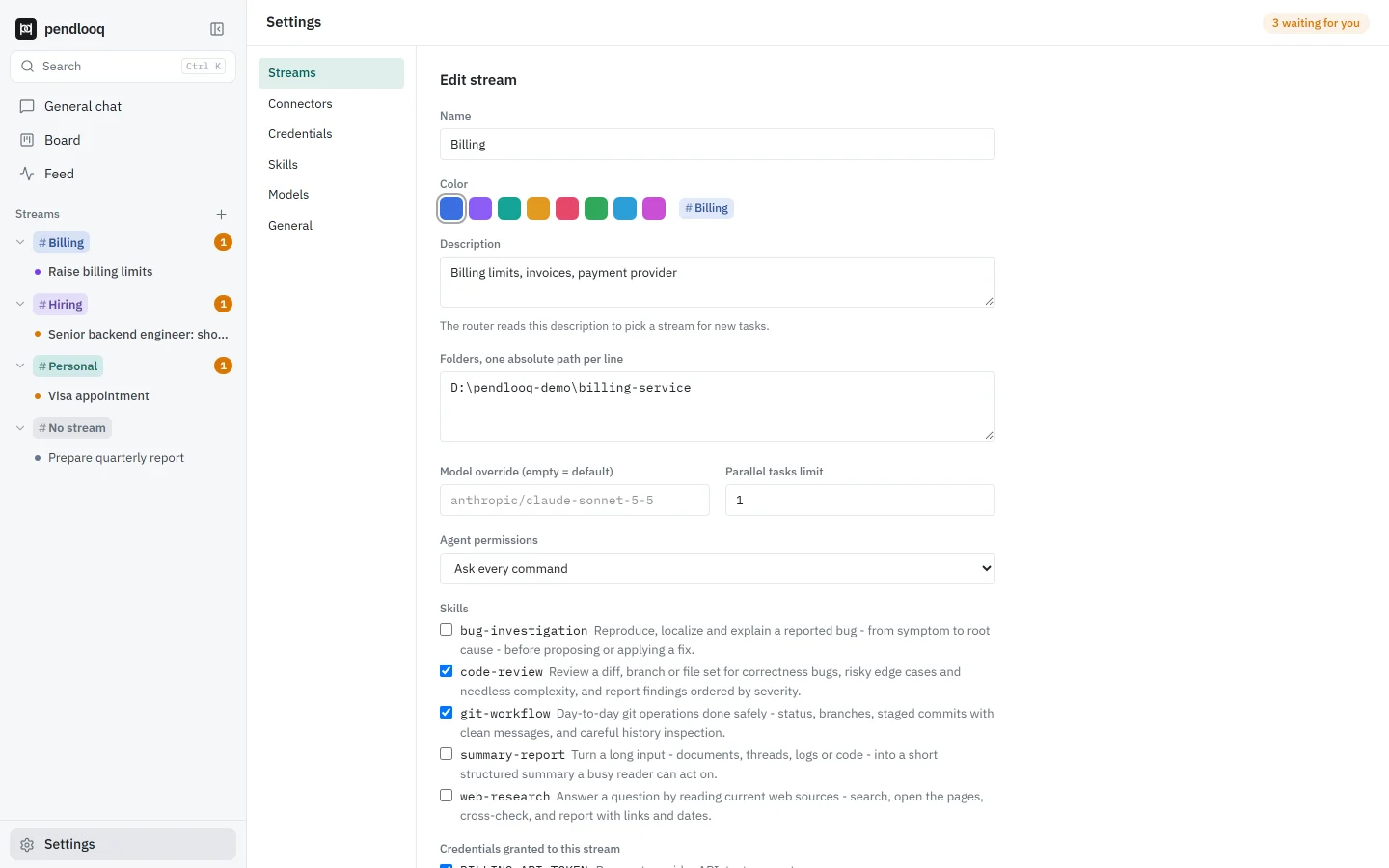
On first run, pendlooq asks for the assistant’s name, one model key, and a few sentences about the work. The tech lead writes what they would tell a new colleague: billing service, hiring, the migration, on-call, personal admin. The assistant proposes a stream for each line of work; they uncheck one and create the rest in a click.
Then they give each stream what it needs. Billing gets the service repository folder, the code-review skill and the payment provider’s test token. Hiring gets no folders at all, only a summary skill. Personal gets nothing that touches work.
Morning: start with whose turn it is
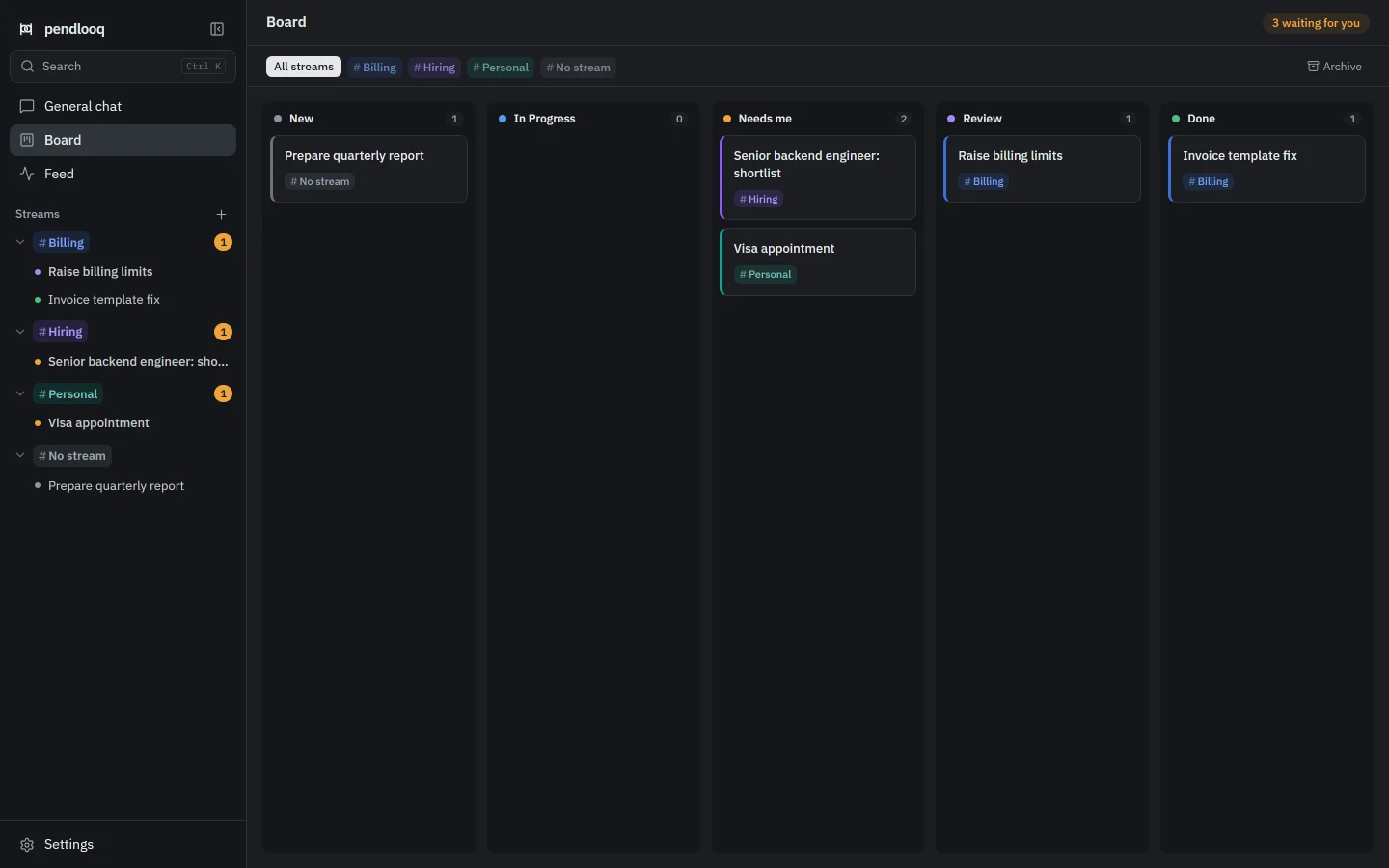
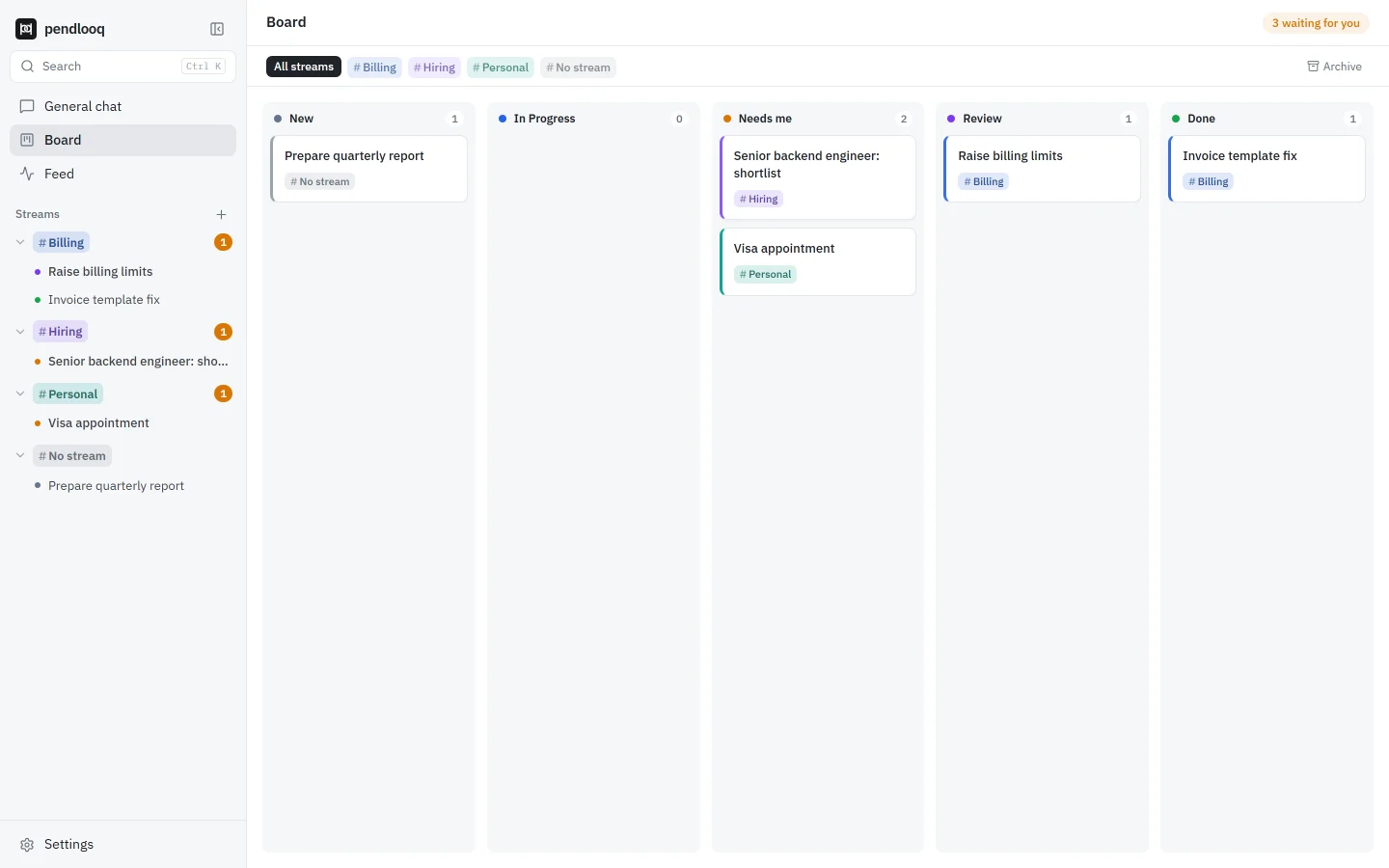
The first thing the tech lead opens is not a chat but the sidebar. Every stream shows an amber count of tasks that need them: a question the assistant asked, or a result ready for review. The Board shows the same tasks in columns, so the Needs me column is the morning’s to-do list.
Answering is quick, because every task has its own thread with only its own history. Reply to the question about candidate seniority, accept a fixed invoice template, and both tasks move on.
During the day: write, do not file
Between meetings the tech lead types into one general chat as things come up. “We need to raise the billing limits before Friday’s release.” “Remind me to send the visa documents.” “Did the migration dry run finish?” The router turns each message into a task in the right stream, or continues a task that already exists, and leaves a chip under the message. When it guesses wrong, Undo or Change stream fixes it in one click.
In the billing stream the assistant works inside the service folder. Before it runs a command, a card shows the exact command, and the tech lead allows it once or for the whole stream. Hiring and Personal never see that folder.


A week later: the old topic is still one task
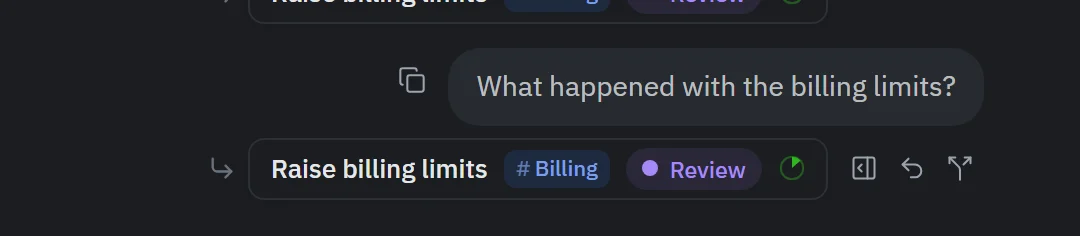
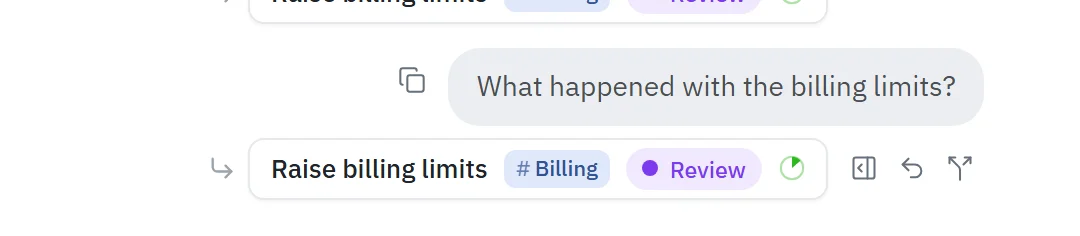
When the tech lead asks “What happened with the billing limits?” a week later, the message does not start from zero. The router finds the earlier task, even though it was done and archived, brings it back and puts the question in its thread, where the change, the review and the decision already are.
Evening: the Feed instead of a status report
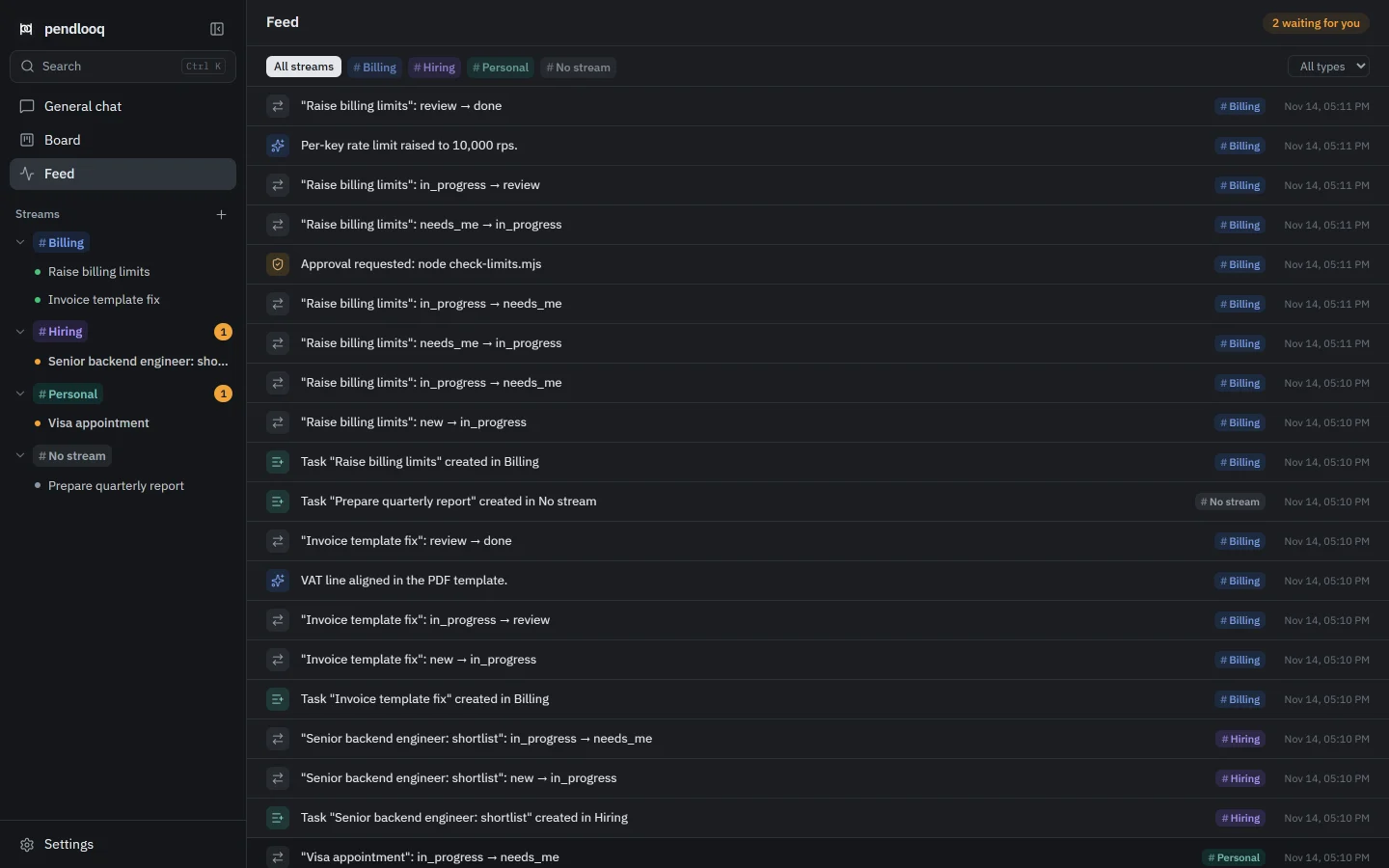
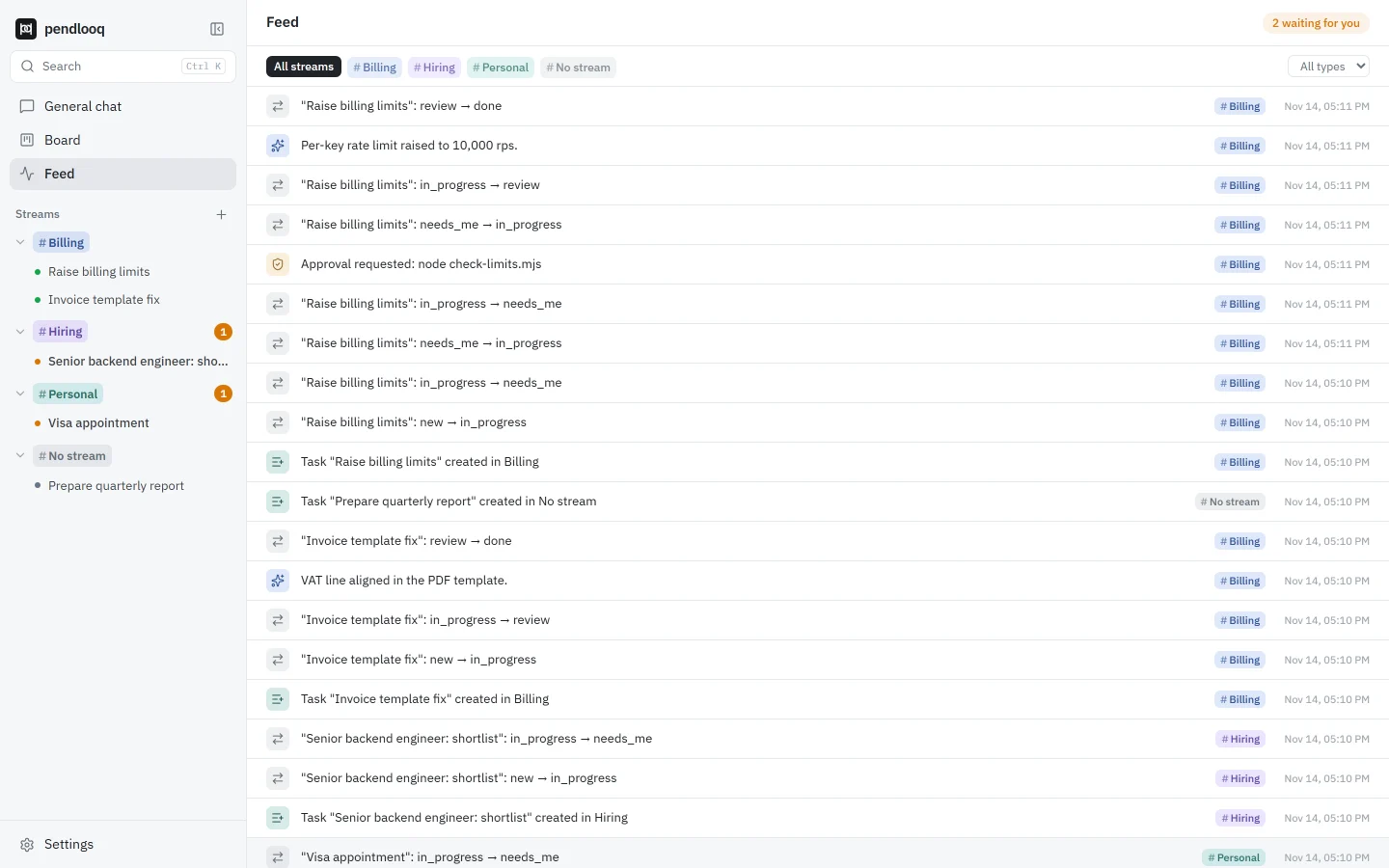
Before logging off, the tech lead switches to the Feed. Every action the assistant took is one line with its stream and time: tasks created, statuses changed, commands approved, results delivered, and lines marked “learned” where the assistant added something to a stream’s notes, such as the rule that limits change only through a reviewed pull request. It is enough to write the day’s update in two minutes.
What does not change
The tech lead still reviews every result; pendlooq moves tasks to Review, not to production. The local app works while the laptop is open, so long jobs wait when it sleeps.
Coming with the cloud: when the assistant needs an answer from a colleague in Slack, the task waits in Needs others and continues by itself when the reply arrives, and a daily digest lists what is stuck. Those parts are not in the local app.
Screenshots: the real app with demo data and a scripted mock model.