Streams
Each line of work gets its own folders, skills and keys.
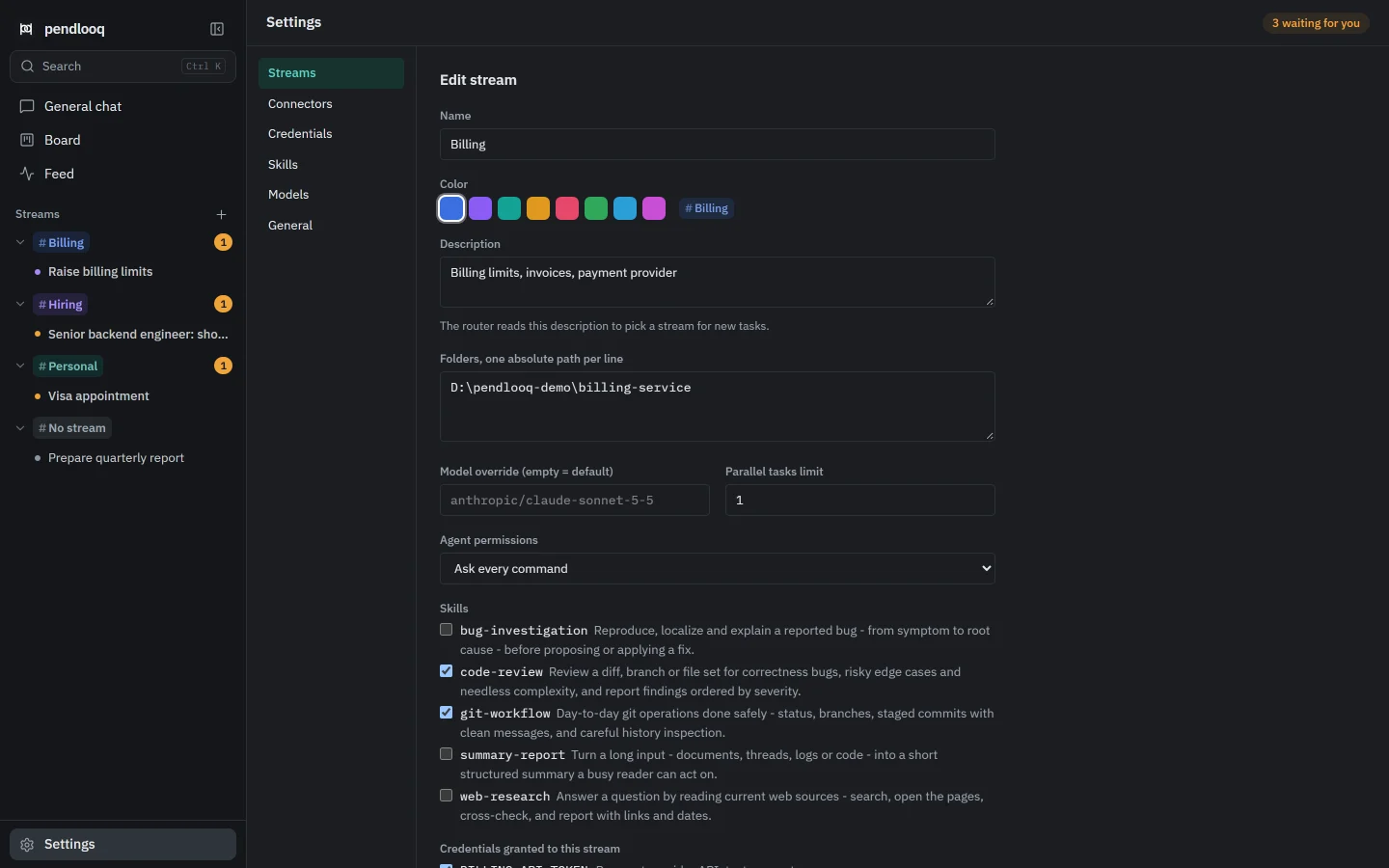
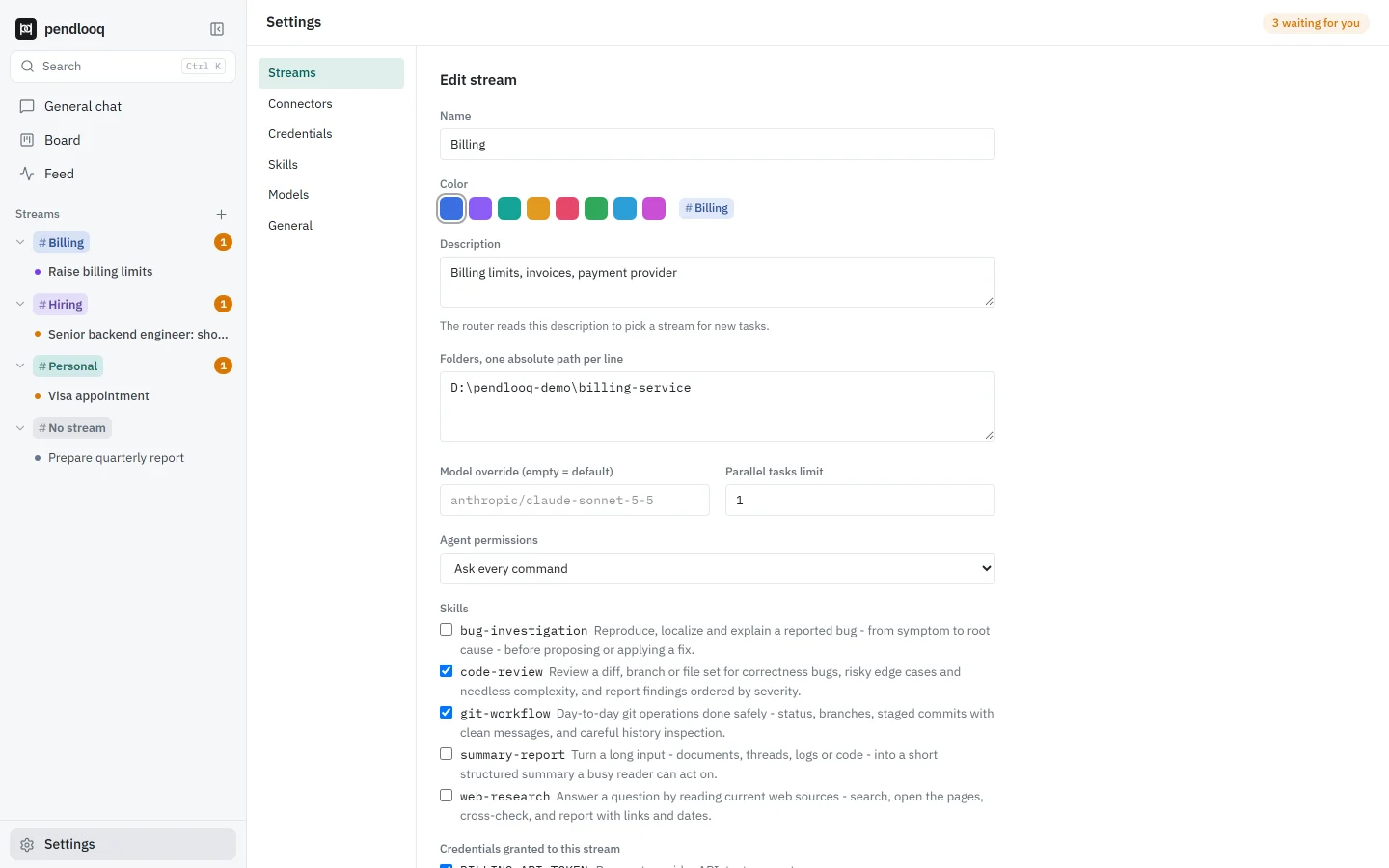
A stream is a line of work: billing, hiring, a client, your personal admin. Each stream has its own folders, skills, connectors, credentials, model, notes file and agent permissions, and the assistant working on a task sees only what its stream was given.
Updated
How it works
01
Streams are proposed for you
On first run, tell the assistant what you work on; it suggests streams you create in one click. Later, a task that fits no stream opens a “New stream?” window.
02
Give each stream what it needs
Folders the agent may use, skills, connectors with an access level, credentials, and a model override if this work needs a different model.
03
Set how careful it should be
Commands run in the mode you pick per stream: ask every command (the default), an allowlist, or full auto. One task runs at a time per stream unless you raise the limit.
04
It remembers per stream
Each stream has a notes file the assistant reads in every task and can add to. Every addition shows up in the Feed as “learned”.
05
One-offs stay out of the way
A quick question lands in “No stream”: the assistant answers and reasons, without files or connectors. Move it to a stream later if it grows.
How it differs from Claude Desktop and ChatGPT
- Claude Desktop
- Claude Desktop Projects hold their own chats, project knowledge and custom instructions.
- ChatGPT
- ChatGPT Projects keep related chats, files and instructions together, with project memory.
- pendlooq
- A pendlooq stream is closer to a workspace for an agent: it also decides which folders, credentials, connectors and command permissions the assistant has there, and which model it uses.
Facts about other products checked on 14 November 2026. Full comparisons
Questions
How many streams can I have?
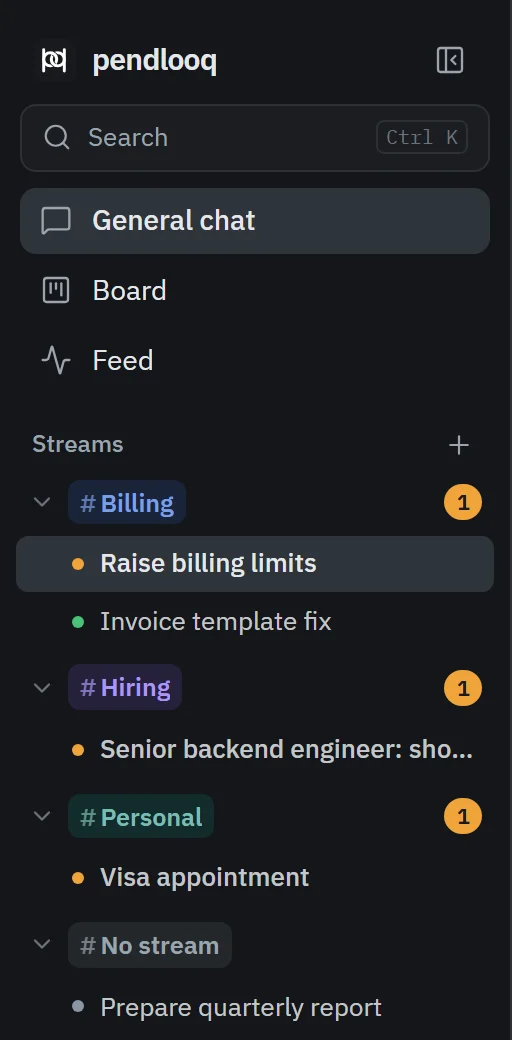
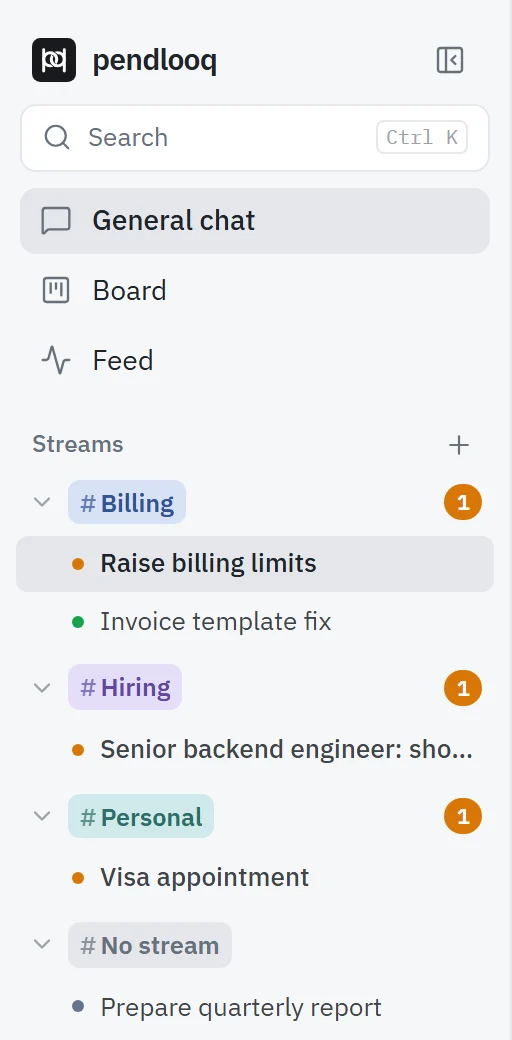
As many as you need. Each gets a color and appears in the sidebar with its open tasks.
Can a stream have no folders?
Yes. Then the assistant works without file and command tools in that stream, which suits research or personal admin.
Can two tasks in one stream run at the same time?
By default no: one runs and the others wait as “In Progress (2)”, ordered by priority. You can raise the limit per stream, with a warning that parallel work in one folder is risky.
Where are stream settings stored?
In your pendlooq data folder: a Claude-format settings.json for permissions and an AGENTS.md for notes. A folder with its own Claude Code, Codex or OpenClaw setup keeps using that.
Related
- Scoped credentialsYour personal assistant never sees your work keys.Related features
- Your existing configKeep your Claude Code, Codex and OpenClaw setup.Related features
- Independent developerAn independent developer with client work and personal projects, kept apartSee it in a working day
- StreamDefinitions and setup in the docs.Documentation