The chat is the tracker
Write in one chat. Your tasks appear on their own.
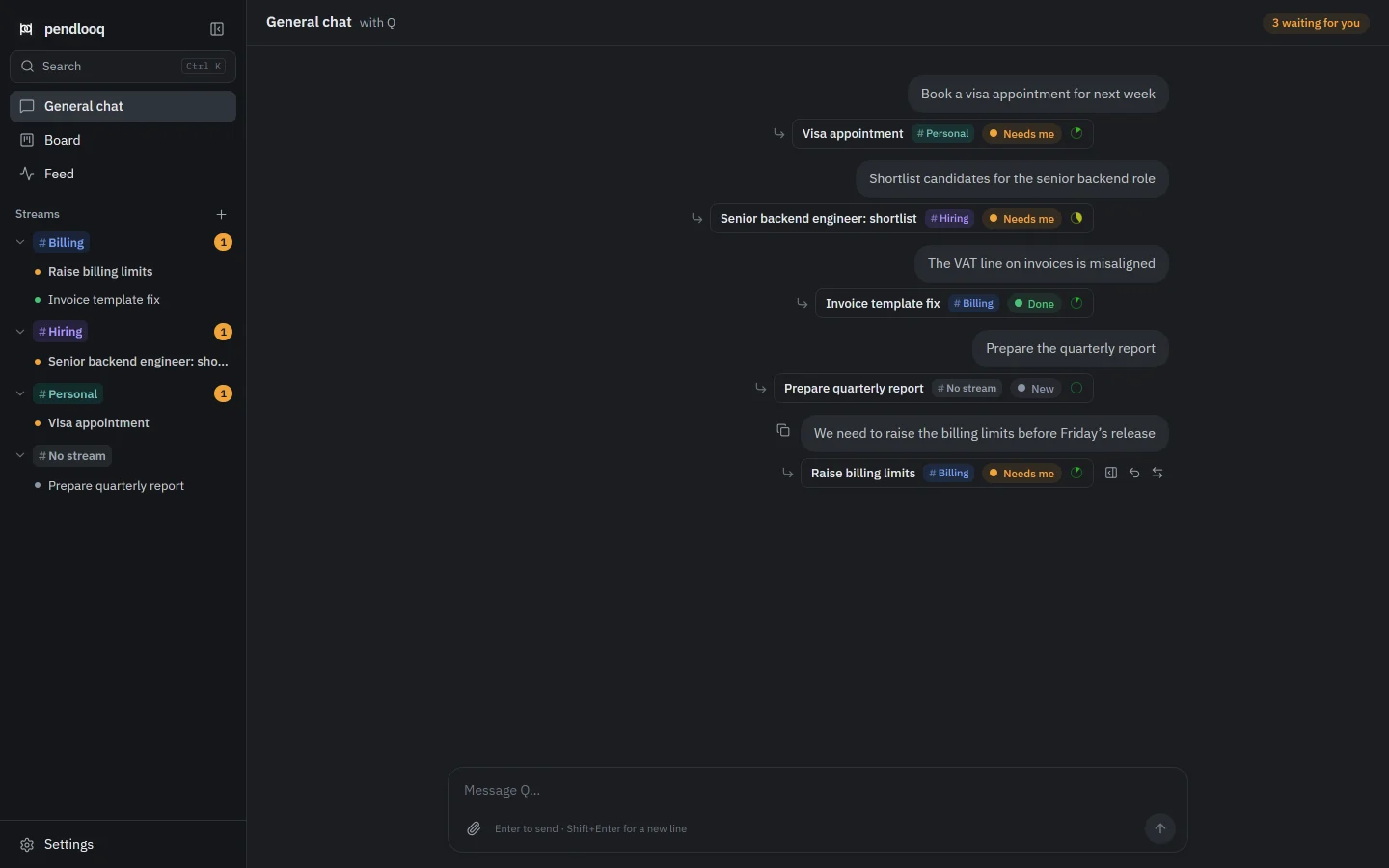
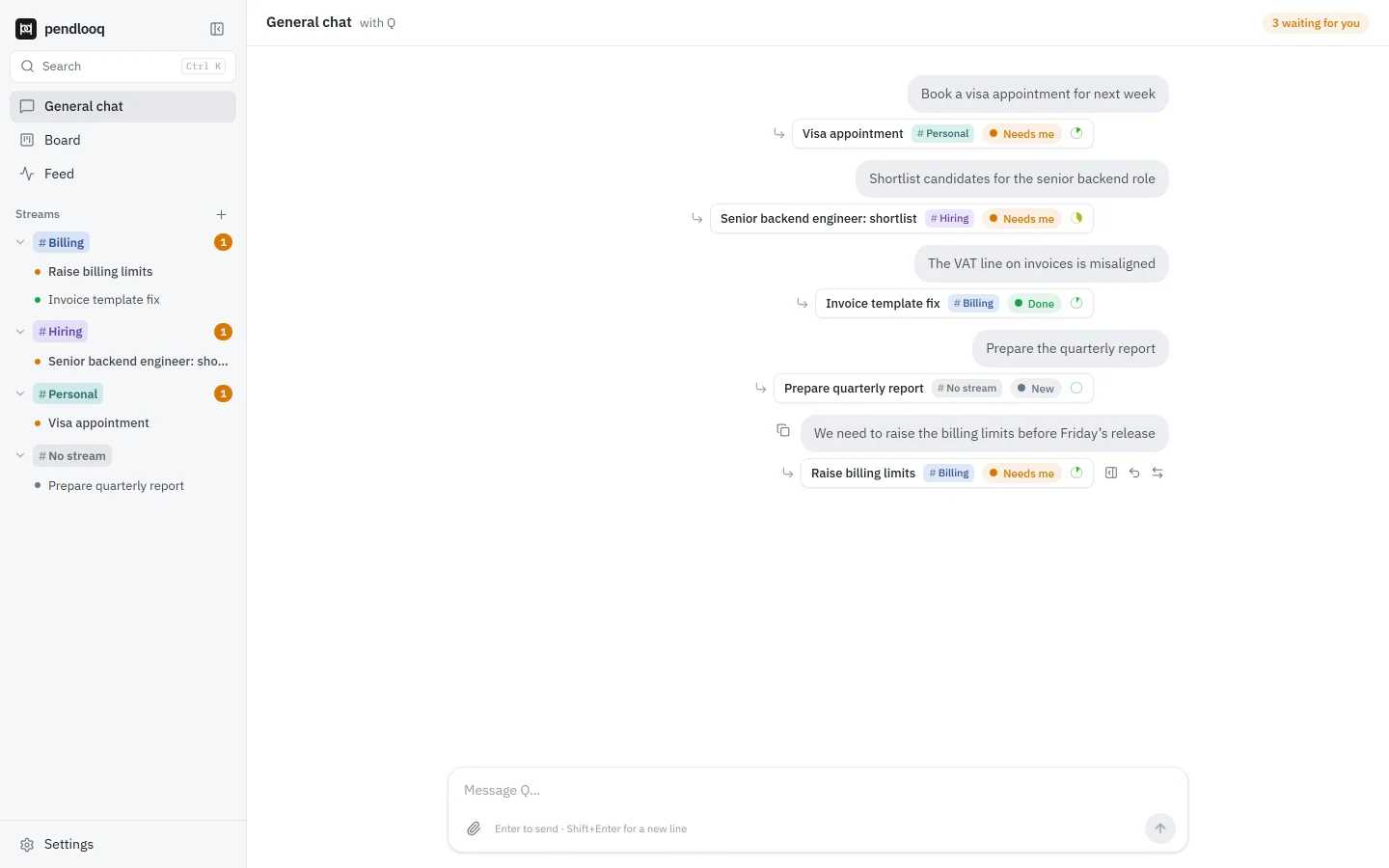
In pendlooq the chat and the task tracker are the same thing. When you write a message, a router decides whether it is a new task, part of an existing one, or just a remark, and files it into the right stream. A chip under the message shows what happened and lets you undo it in one click.
Updated
How it works
01
Write as you would to a colleague
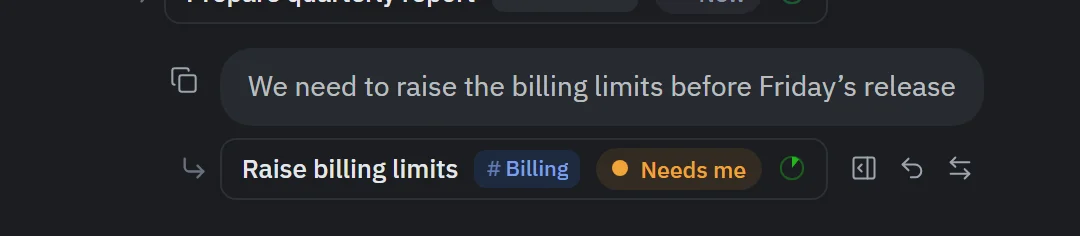
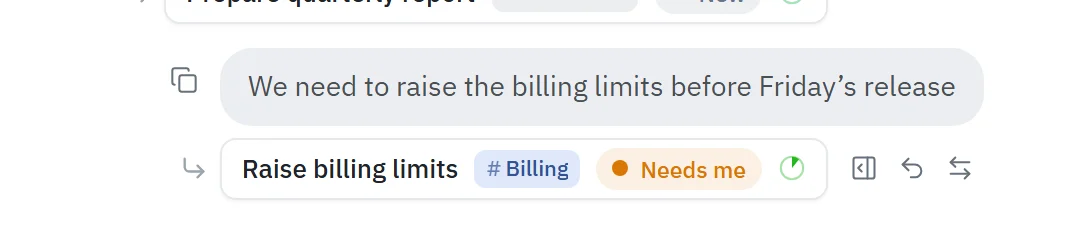
No form, no project picker. “We need to raise the billing limits before Friday’s release” is enough.
02
The router decides
A cheap service model reads the message and picks one of four outcomes: continue an existing task, create a new task, propose a new stream, or leave it as a plain remark.
03
A chip shows the result
Under the message: the task title, its stream and its status. Hover it to open the thread, undo the routing, or move the task to another stream.
04
The task walks through statuses
New while the assistant clarifies, In Progress while it works, Needs me when it waits for you, Review when the result is ready, Done when you accept it.
05
Or route by hand
Hover any message and choose To task, or Shift-click several messages in a row and turn them into one task.
How it differs from Claude Desktop and ChatGPT
- Claude Desktop
- Claude Desktop organizes work as chats, optionally grouped into Projects with their own knowledge and instructions. Its Cowork mode runs multi-step tasks on your files.
- ChatGPT
- ChatGPT groups chats into Projects. Its “tasks” are scheduled prompts that run once or on a schedule and notify you.
- pendlooq
- In pendlooq every piece of work is a task with a status in one place, created from the chat itself, so a Board can show what is in progress and what waits for you.
Facts about other products checked on 14 November 2026. Full comparisons
Questions
What if the router gets it wrong?
Click Undo on the chip and the message returns to the chat uncategorized. You can also change the stream from the chip or the thread header, or choose “New task instead” when a message was attached to an existing task.
Does every message become a task?
No. Remarks and quick questions stay in the general chat without a category, and the assistant simply replies there.
Which model does the routing?
A service model you choose in Settings → Models, usually a cheaper one than your main model. It also writes the feed lines.
Can I see all tasks at once?
Yes. The Board (Alt+2) shows tasks in status columns with a stream filter, and the Feed (Alt+3) lists every action the assistant took.
Related
- No duplicate tasksEvery message finds its task, even an archived one.Related features
- StreamsEach line of work gets its own folders, skills and keys.Related features
- Tech leadA tech lead with five lines of work and one chat that keeps them apartSee it in a working day
- Router, tasks and statusesDefinitions and setup in the docs.Documentation