No duplicate tasks
Every message finds its task, even an archived one.
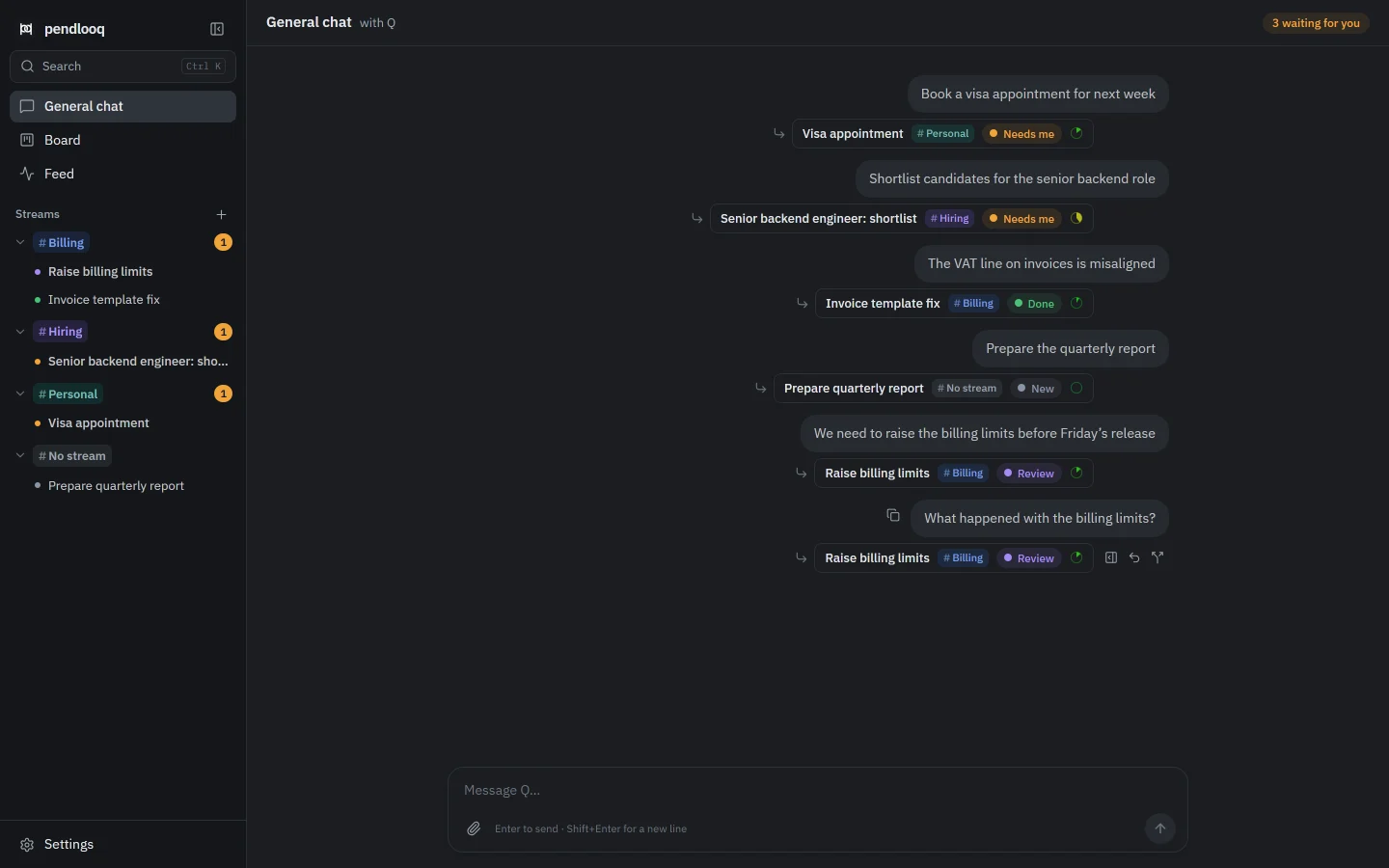
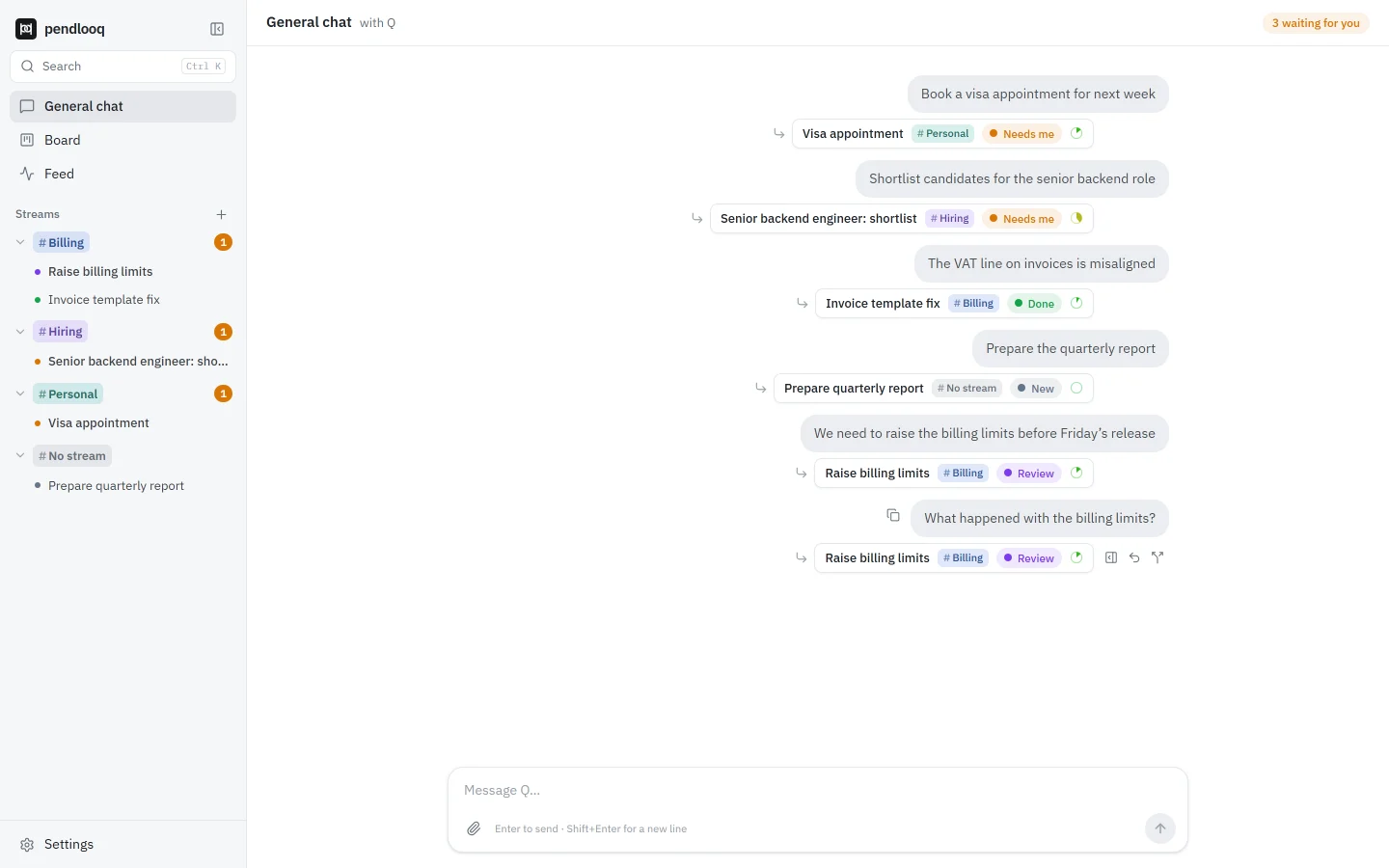
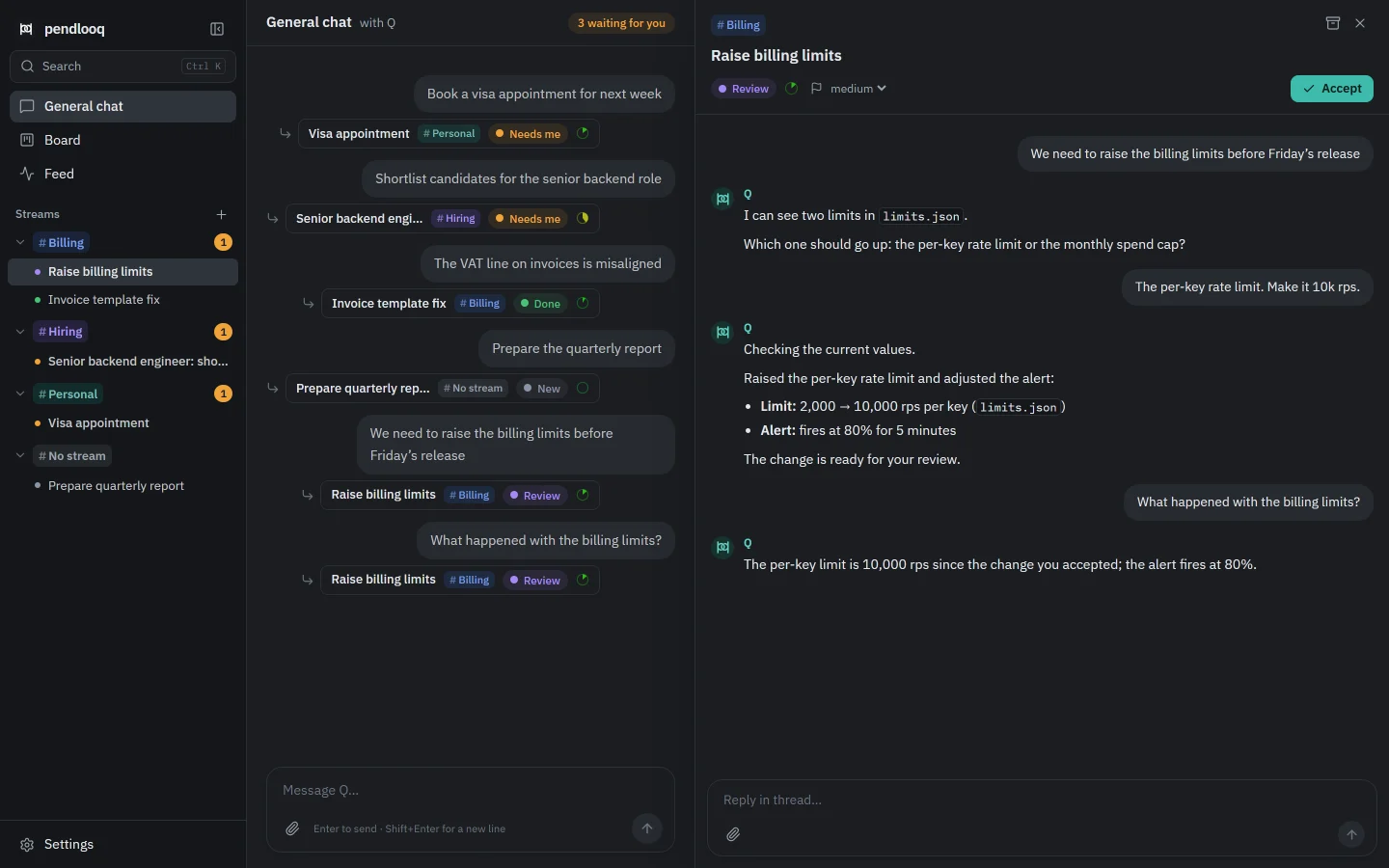
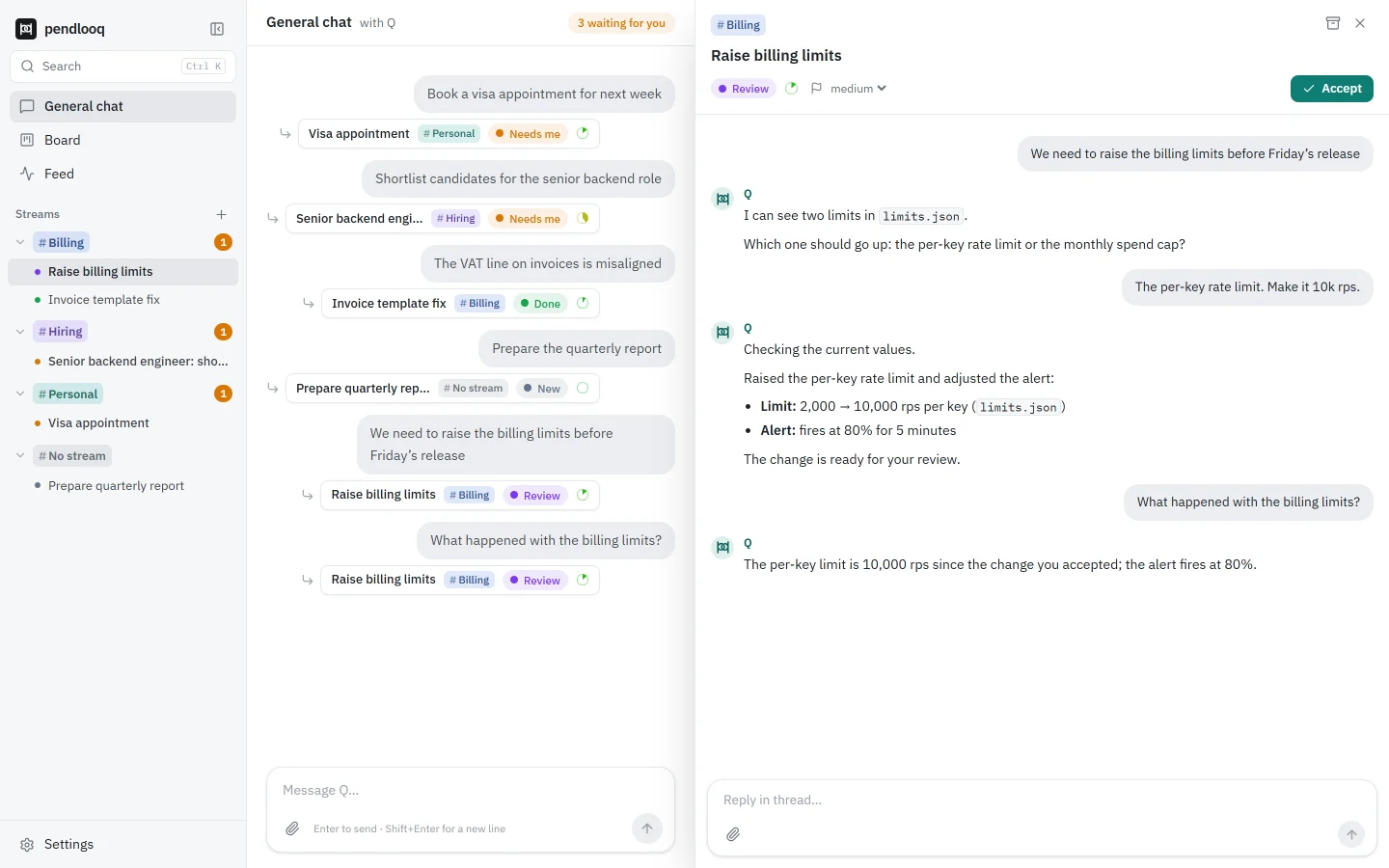
When a new message belongs to a topic you already started, pendlooq does not create a second task. The router searches existing tasks in every stream and every status, closed and archived ones included, and sends the message to that task’s thread, where the work continues with the full history.
Updated
How it works
01
You mention an old topic
Days later you write “What happened with the billing limits?” in the general chat.
02
The router looks back
It compares the message with tasks touched in the last 14 days (configurable) across all streams and statuses, including Done and archived.
03
The message joins that thread
No new task is created. The message lands in the existing thread and the assistant continues with everything said there before.
04
Archived tasks come back
If the task was archived, it is restored and goes back to work. The chip offers Undo and “New task instead” if you meant something new.
How it differs from Claude Desktop and ChatGPT
- Claude Desktop
- Claude Desktop keeps memory across chats and, on paid plans, can search past chats. A new message still starts or continues whichever chat you have open.
- ChatGPT
- ChatGPT can reference chat history and saved memories. A new message goes to whichever chat or project you have open.
- pendlooq
- pendlooq decides where a message belongs for you: one topic stays one task with one thread, wherever you wrote about it.
Facts about other products checked on 14 November 2026. Full comparisons
Questions
How far back does it look?
14 days of activity by default. Change it in Settings → General (“Router looks back, days”).
Can it reopen a finished task?
Yes. A message that matches a Done or archived task goes into that task’s thread, and an archived task is restored automatically.
What if I wanted a separate task?
Click “New task instead” on the chip. The message moves to a fresh task and the old one stays as it was.
Can I find old tasks myself?
Press Ctrl+K: it jumps to streams and tasks and searches the full message history, archived tasks included, newest first.
Related
- The chat is the trackerWrite in one chat. Your tasks appear on their own.Related features
- StreamsEach line of work gets its own folders, skills and keys.Related features
- Tech leadA tech lead with five lines of work and one chat that keeps them apartSee it in a working day
- Task statuses and archiveDefinitions and setup in the docs.Documentation