Jira, Notion and Google Drive
Your assistant works in Jira, Notion and Google Drive, with the access you allow.
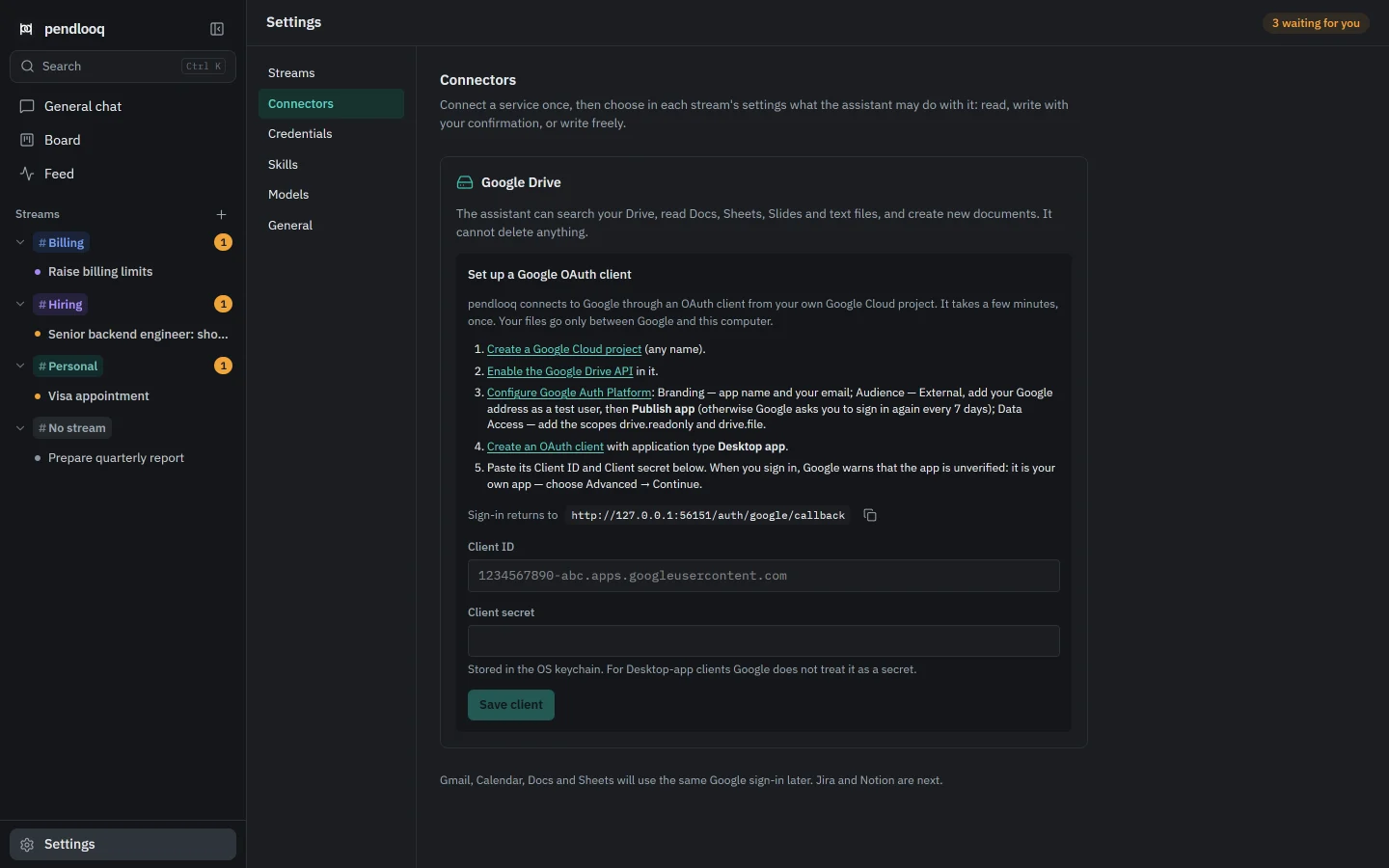
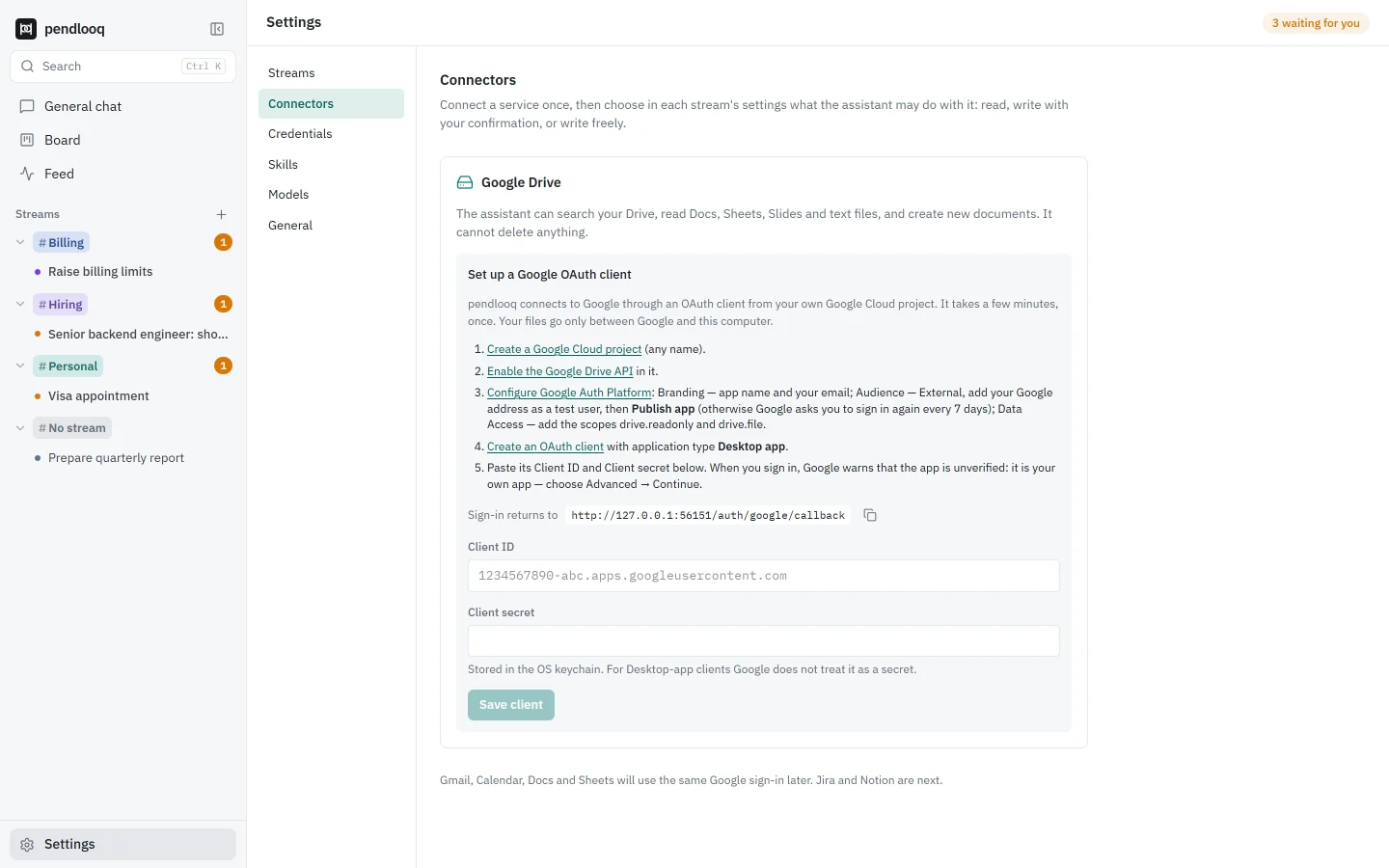
pendlooq connects to Jira, Notion and Google Drive once and then grants each connection to specific streams with one of three access levels: read only, write with confirmation, or write without asking. The assistant can find a ticket, read a Notion page or a Google Doc, and file what it produced back where your team works, while delete tools are never given to it.
Updated
How it works
01
Connect a service once
Settings → Connectors. Jira and Notion sign in through their official MCP servers with OAuth; Google Drive uses your own Google OAuth client. Tokens are kept in your OS keychain.
02
Grant it to a stream with a level
The billing stream may create Jira tickets, the hiring stream may only read Notion. Read only, write with confirmation, or write without asking, set per stream.
03
The assistant uses it in tasks
It looks up the ticket you mentioned, reads the spec in Notion or the brief in a Google Doc as text, and works from there instead of asking you to paste it.
04
Writes go through a card
With write with confirmation, creating a ticket, a page or a Drive file shows an approval card with what will be written. The task waits in Needs me until you decide.
05
Nothing gets deleted
Tools that delete Jira issues or Notion pages and databases are not given to the agent at any access level.
How it differs from Claude Desktop and ChatGPT
- Claude Desktop
- Claude Desktop connects to services through connectors and MCP servers that you add to the app.
- ChatGPT
- ChatGPT connects to services through apps such as Google Drive, depending on plan and workspace, and custom MCP servers on some plans.
- pendlooq
- pendlooq grants each connector per stream with an access level, so one line of work can write to Jira with your confirmation while another can only read Notion.
Facts about other products checked on 14 November 2026. Full comparisons
Questions
Does Jira need my admin?
Sometimes. Atlassian lets the site admin choose which apps may connect to its MCP server. If OAuth is blocked, connect with an Atlassian API token instead; the connect screen explains what to ask the admin.
Which Notion plans work?
pendlooq uses Notion’s official MCP server, which any client can connect to on any Notion plan.
Can the assistant delete something?
No. Delete tools are not given to the agent at any access level. At “read only”, write tools are not available either.
Where are the connector tokens stored?
In your operating system’s keychain on your machine, not in the pendlooq database. They never appear in the thread or in logs.
What about Slack and other Google services?
Slack comes with the cloud, because receiving its messages needs a server. Gmail, Calendar, Docs and Sheets follow Google Drive later.
Related
- StreamsEach line of work gets its own folders, skills and keys.Related features
- Scoped credentialsYour personal assistant never sees your work keys.Related features
- Tech leadA tech lead with five lines of work and one chat that keeps them apartSee it in a working day
- ConnectorDefinitions and setup in the docs.Documentation